Slack Integration
Capture confidence votes directly in Slack.
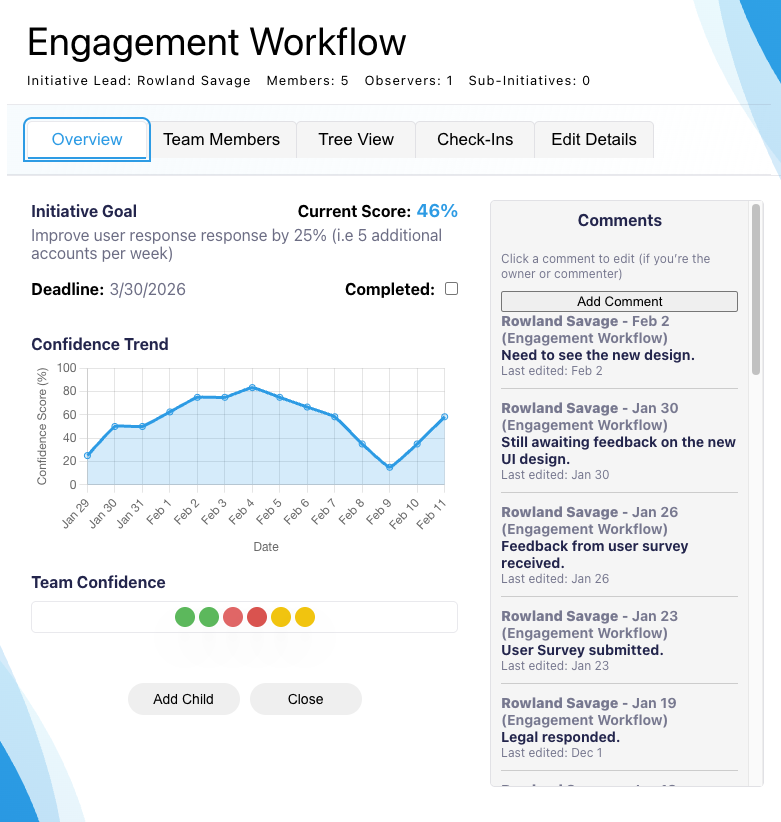
The Genchi Slack app gives every team member a quick, anonymous way to cast their confidence vote on the initiatives they work on. Those votes are combined by project into a single confidence score — a delivery prediction from the people doing the work — shown in the Genchi app.
How to Install
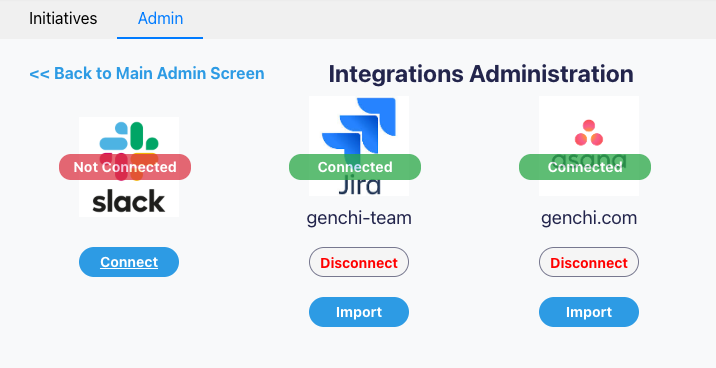
Genchi installs into your Slack workspace from inside the Genchi app. You'll need a Genchi account first.
- New to Genchi? Create your account — it takes a minute and there's no credit card required.
- Log in to Genchi at app.genchi.com.
- Go to Admin > Integrations > Slack.
- Click 'Connect to Slack' and authorize the workspace you wish to use. This installs the Genchi app into your Slack workspace.
- Use the automated linking features to match team members' Genchi accounts to their Slack IDs.
Key Features
Enhance your Genchi experience with Slack.
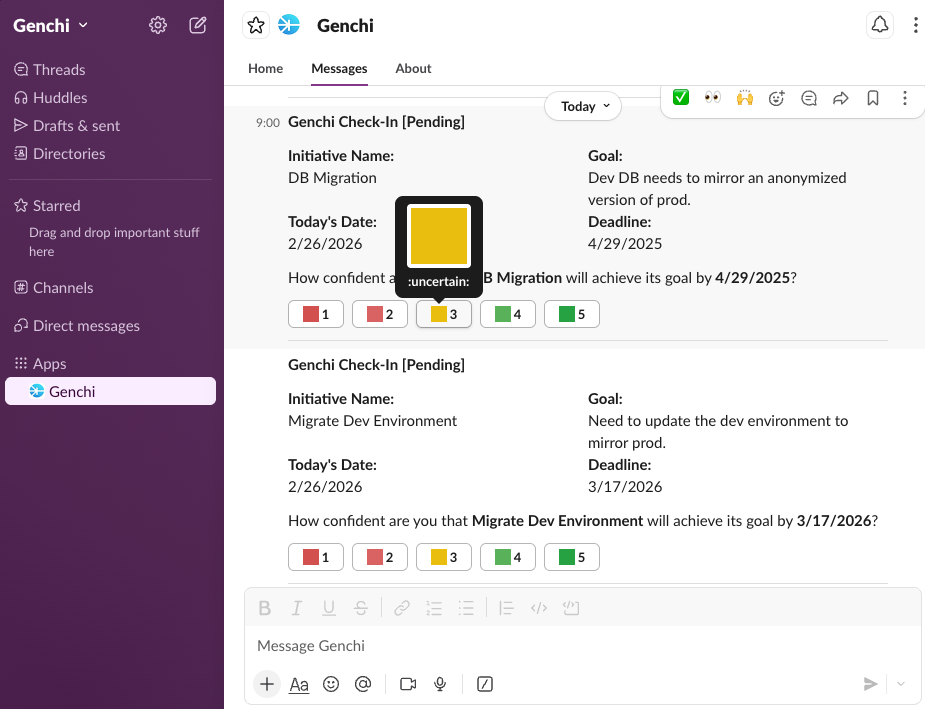
- It's quick — one click, about two seconds for each team member to vote.
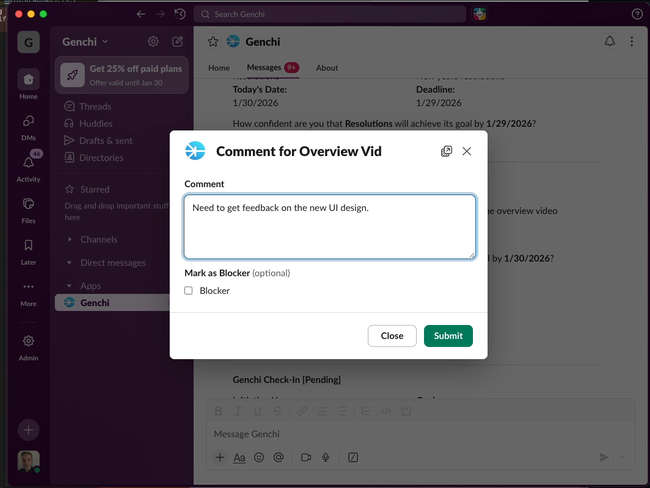
- It's easy — one question, answered on a 1–5 scale, with an optional comment or blocker.
- It's automated, the team will receive scheduled reminders based on your chosen cadence.
- It's secure - OAuth-based connection with your Genchi account.
- It's compliant with Slack's platform policies, including their rules on sentiment analysis. View Compliance Document
- It's multi-channel and works with email and the app for flexibility.
Need Help?
Contact us today with any questions or for support with your Slack integration.
Get started today!
Genchi's Slack integration makes it as easy as possible for every team member to say what they really think. Combined by project, those votes give you a current prediction of whether each one will be delivered as expected.
Create Account